The IGNOU Student Portal is the central digital platform designed by the Indira Gandhi National Open University to manage all academic and administrative activities of students. From admission and re-registration to assignment submission, result checking, grade cards, and marksheets, almost every essential student service is now integrated into one unified system.
With lakhs of students enrolled across India and abroad, IGNOU introduced the Samarth-based student portal to simplify processes, reduce paperwork, and provide real-time academic updates. Whether you are a newly admitted learner or a continuing student, understanding how to use the IGNOU Student Portal is crucial for a smooth academic journey.
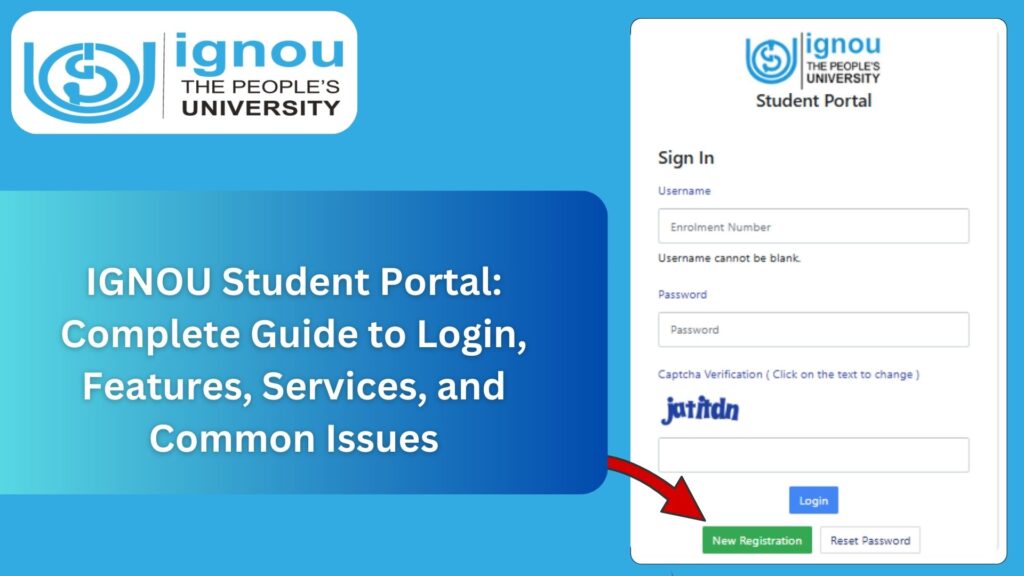
This comprehensive guide explains everything you need to know about the IGNOU Student Portal, including login steps, features, services available, common problems, solutions, important links, FAQs, and best practices.
What Is the IGNOU Student Portal?
The IGNOU Student Portal is an online platform where students can access all academic and administrative services related to their enrollment at IGNOU. It replaces multiple legacy systems by providing a single login dashboard for students.
The portal is built on the Samarth e-Governance framework, ensuring better transparency, efficiency, and accessibility.
Official Link to Access IGNOU Student Portal
Importance of the IGNOU Student Portal
The student portal is the backbone of IGNOU’s digital academic ecosystem.
Centralized Academic Management
All student-related services are available at one place.
Time and Effort Saving
No need to visit regional centres frequently for basic services.
Transparency
Students can track assignments, results, and requests in real time.
Paperless System
Most services are available online, reducing paperwork.
2.5 24/7 Accessibility
Students can access services anytime from anywhere.
Who Can Use the IGNOU Student Portal?
The IGNOU Student Portal is designed for:
- Newly admitted students
- Continuing students
- Re-registered learners
- Students awaiting results or grade cards
- Students applying for certificates or marksheets
Every student with a valid enrollment number can use the portal.
How to Register on the IGNOU Student Portal?
New students must register on the portal before accessing services.
Step-by-Step Registration Process
Step 1: Visit the Portal
Open the official portal link:
https://ignou.samarth.edu.in/
Step 2: Click on “Register”
Select the new registration option.
Step 3: Enter Enrollment Details
Provide enrollment number, date of birth, and registered email or mobile number.
Step 4: Create Login Credentials
Set a username and password.
Step 5: Verify OTP
Complete OTP verification.
Step 6: Login to Dashboard
Once registered, log in using your credentials.
How to Login to IGNOU Student Portal?
Existing students can log in directly.
Login Steps
- Visit the portal homepage
- Click on “Student Login”
- Enter enrollment number or username
- Enter password
- Click login to access dashboard
If you forget your password, the portal provides a password recovery option.
Services Available on IGNOU Student Portal
The IGNOU Student Portal offers a wide range of academic and administrative services.
Admission and Re-Registration
- New admissions
- Re-registration for next semester or year
- Program continuation
Assignment Management
- Assignment submission status
- Assignment marks
- Course-wise assignment tracking
Examination Services
- Exam form submission
- Exam centre details
- Term-end exam status
Result and Grade Card
- Term-end exam results
- Grade card updates
- Course completion status
Marksheet and Certificate
- Online academic records
- Marksheet download access
- Degree and certificate tracking
Profile Management
- Personal details
- Address update
- Contact information
Grievance and Support
- Online grievance submission
- Request tracking
- Communication with IGNOU
IGNOU Student Portal Dashboard Explained
After logging in, students see a dashboard with multiple sections.
Key Dashboard Sections
- Academic details
- Program information
- Assignment status
- Examination section
- Result and grade card
- Notifications and announcements
The dashboard acts as a personalized academic control panel.
How to Check Results Using IGNOU Student Portal?
Results are one of the most frequently accessed services.
Steps to Check Results
- Login to the student portal
- Navigate to “Results” or “Academic Records”
- Select term-end examination session
- View course-wise results
Results are updated in phases, so some courses may appear later.
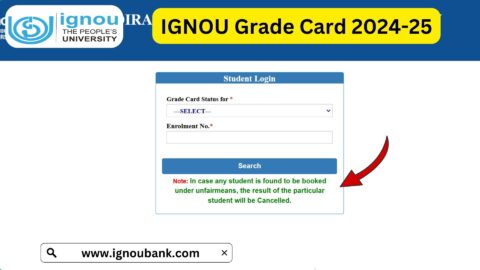
How to Access Grade Card Through Student Portal?
The grade card reflects consolidated academic performance.
Steps
- Login to portal
- Go to academic section
- Select grade card option
- View assignment, exam, and practical marks
A complete grade card is essential for marksheet issuance.
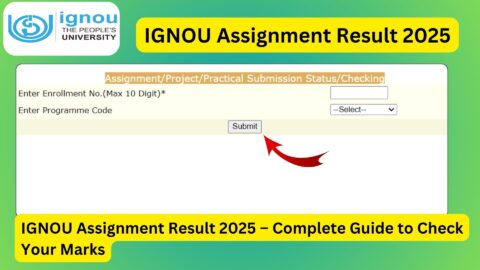
Assignment Tracking on IGNOU Student Portal
Students can track assignment-related activities.
Assignment Services
- Submission confirmation
- Assignment marks
- Pending or evaluated status
This reduces dependency on study centres for updates.
Common Problems Faced on IGNOU Student Portal
Despite being user-friendly, students may face some issues.
Login Issues
- Incorrect password
- OTP not received
- Browser compatibility problems
Data Not Updated
- Assignment marks missing
- Results not showing
- Grade card incomplete
Technical Errors
- Slow loading
- Session timeout
- Server downtime
Most issues resolve automatically with time or after refreshing.
What to Do If IGNOU Student Portal Is Not Working?
If you face issues accessing the portal:
- Clear browser cache
- Try a different browser
- Avoid peak hours
- Check official notifications
- Use grievance option if issue persists
Patience is important during result and admission seasons.
Benefits of IGNOU Student Portal for Distance Learners
IGNOU caters primarily to distance learners.
Key Benefits
- No physical dependency
- Faster academic updates
- Easy access to records
- Better communication with university
The portal empowers learners to manage studies independently.
Important Links and Information
Below is a table of essential IGNOU links related to the student portal and academic services.
Important IGNOU Links and Information
| Purpose | Link / Information |
|---|---|
| IGNOU Student Portal Login | https://ignou.samarth.edu.in/ |
| IGNOU Official Website | https://www.ignou.ac.in |
| IGNOU Grade Card | Available via student portal |
| Assignment Status | Through IGNOU systems |
| Term-End Exam Results | IGNOU official portals |
| Study Material (eGyanKosh) | https://egyankosh.ac.in |
| Regional Centre Information | Available on IGNOU website |
| Grievance Redressal | Via student portal |
Best Practices for Using IGNOU Student Portal
- Check portal regularly
- Keep login credentials secure
- Update profile information
- Download academic records
- Track deadlines carefully
These habits prevent academic delays and confusion.
Future of IGNOU Student Portal
IGNOU continues to upgrade its digital systems.
Expected Enhancements
- Faster processing
- More automation
- Mobile-friendly features
- Integrated support services
The portal is evolving to meet modern e-learning needs.
FAQ about IGNOU Student Portal 2025
What is the IGNOU Student Portal?
It is an online platform for managing all student-related academic and administrative services.
How do I access the IGNOU Student Portal?
You can access it using this link: https://ignou.samarth.edu.in/
Is registration mandatory on the portal?
Yes, students must register to access services.
Can I check results through the portal?
Yes, results and grade cards are available on the portal.
What if I forget my login password?
You can reset it using the “Forgot Password” option.
Are assignment marks available on the portal?
Yes, once uploaded, assignment marks can be viewed.
Is the student portal available 24/7?
Yes, except during maintenance periods.
Can I update my address through the portal?
Yes, profile details can be updated online.
Conclusion
The IGNOU Student Portal is an essential digital gateway for students enrolled at Indira Gandhi National Open University. It centralizes academic services, simplifies administrative tasks, and provides transparency throughout the learning journey. From admissions and assignments to results and grade cards, the portal empowers students to manage their education efficiently and independently.
Understanding how to use the IGNOU Student Portal effectively helps students avoid delays, track academic progress, and stay informed about important updates. By regularly accessing the portal, maintaining accurate profile information, and monitoring academic records, students can ensure a smooth and successful experience with IGNOU.
If you are an IGNOU learner, make the student portal your primary academic tool. Staying proactive and informed is the key to making the most of IGNOU’s open and distance learning system.